
Users may delete their account at any time by following the steps outlined below:
-
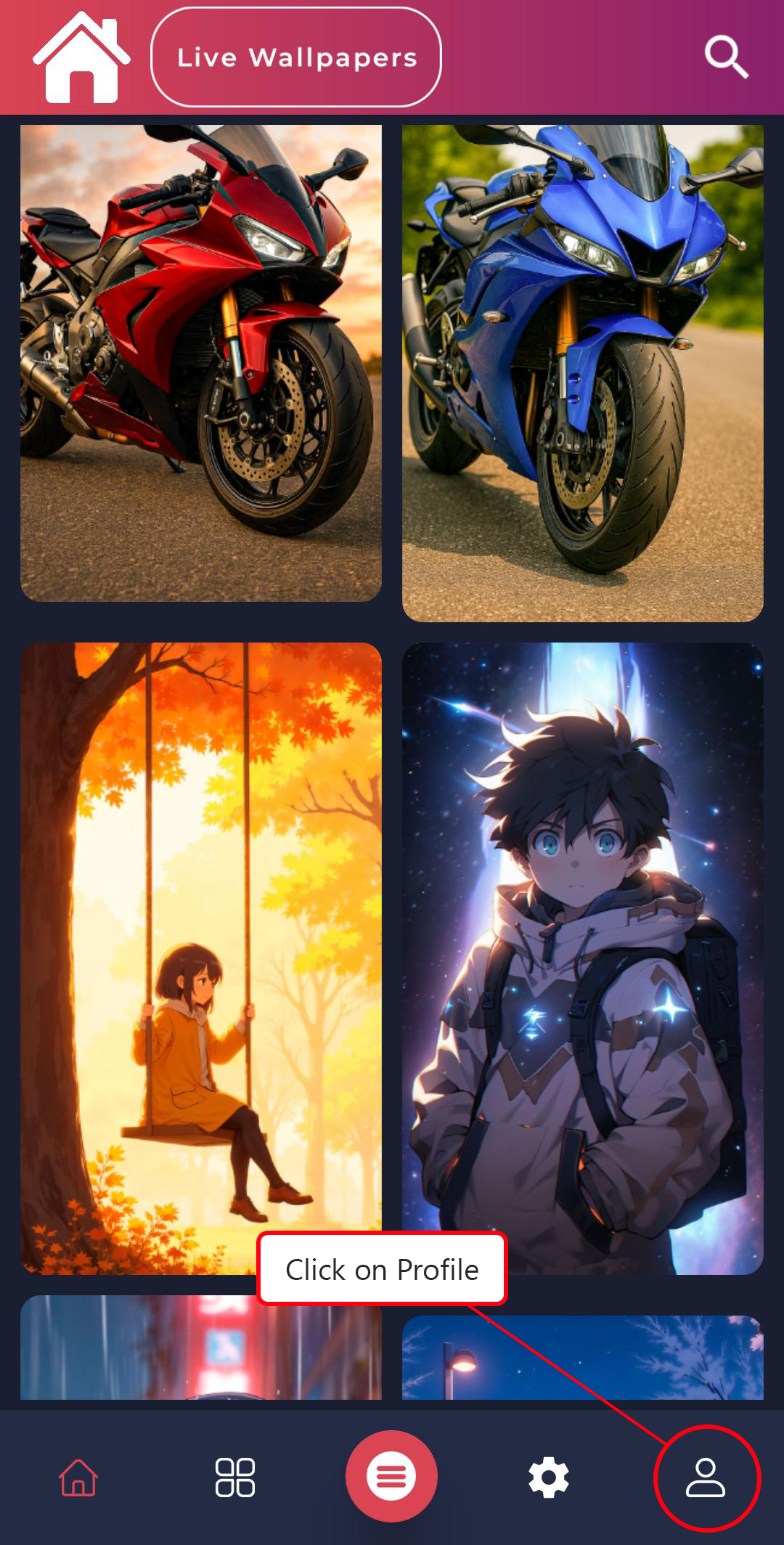
Navigate to the Profile tab within the app.
-
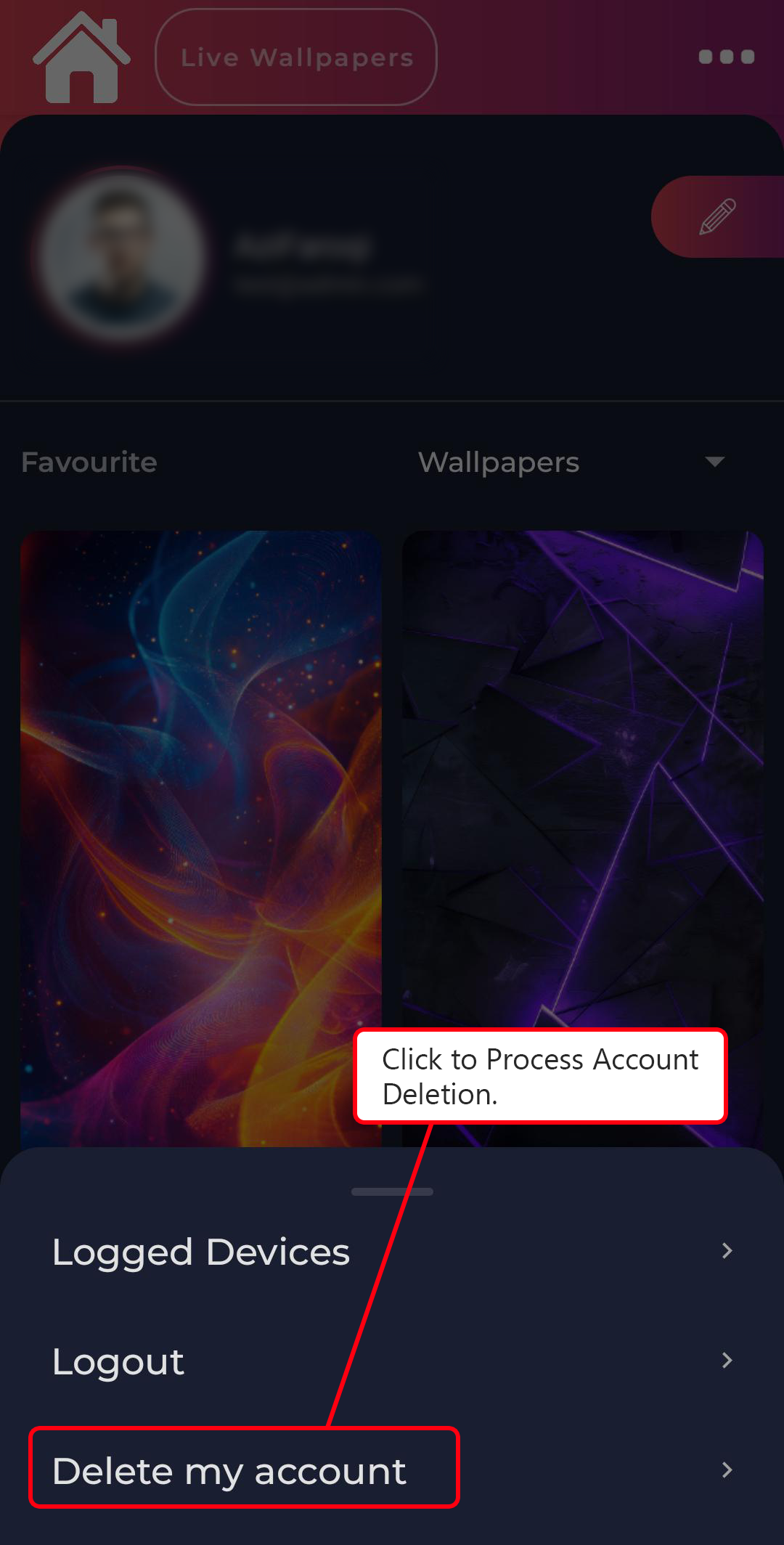
Tap the three-dot menu icon located in the upper-right corner.

-
From the menu, select Delete My Account.
-
A confirmation dialog will appear with two options: Delete and Cancel.
To proceed, tap Delete and your account will be deleted permanently.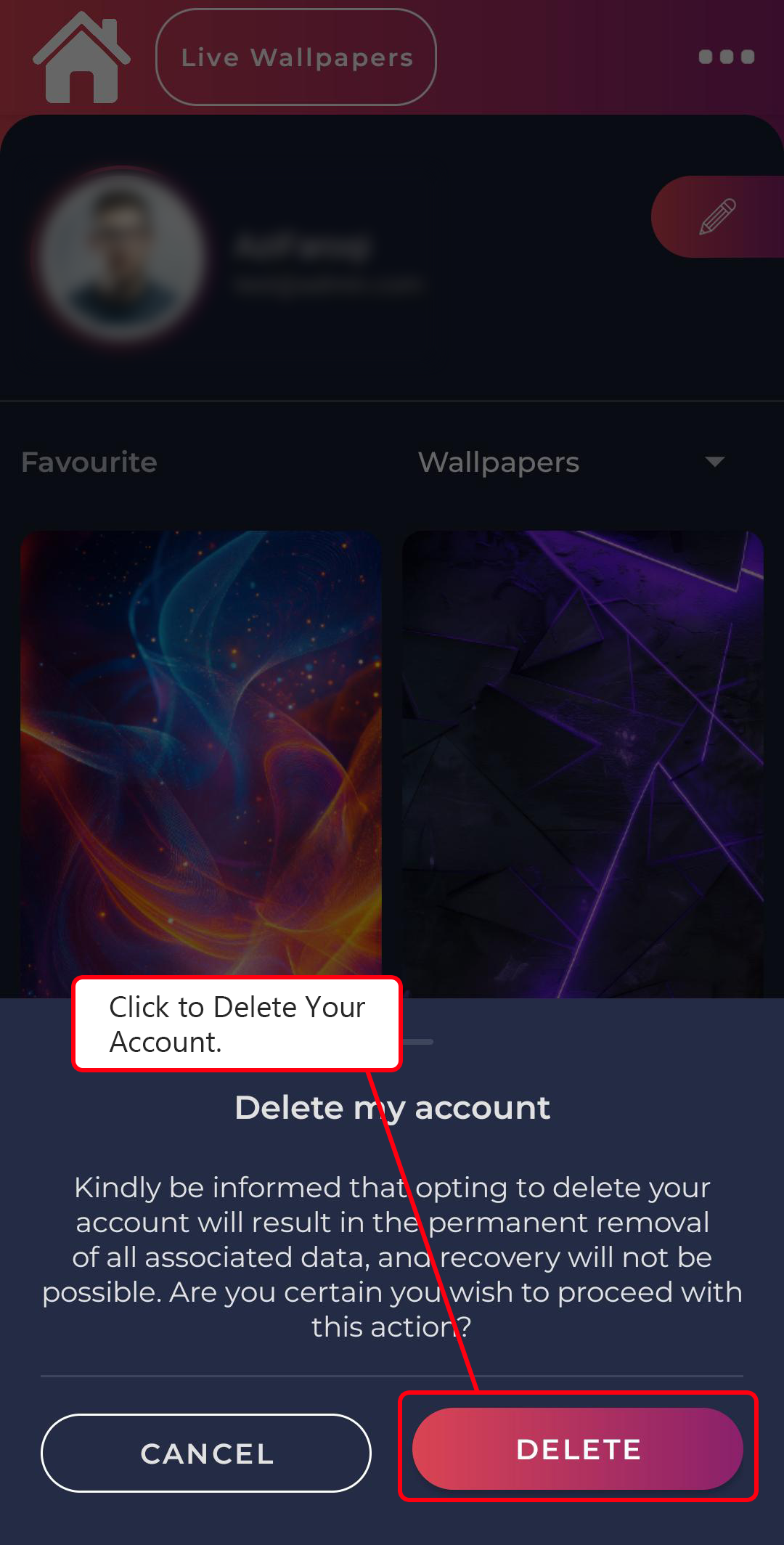
Important Notice:
Once an account is deleted, all associated user data will be permanently removed from our system. This includes, but is not limited to:
- Username and password
- Registered phone number
- Unlocked wallpapers
- Favourite wallpapers
This action is permanent and irreversible. Deleted data cannot be recovered under any circumstances.
If you have any questions or concerns, please contact our support team at appaxislab@gmail.com before proceeding with deletion.